Sign in Get started

NetConverter — by ValeronLabs LLC

Move your configuration.
Understand what changes.

Prepare a migration, translate supported configurations and inspect the findings before a network change. Deterministic checks decide the result. AI helps explain it. Your engineers own the cutover.

Open the platform → See the product ↓

Planning a project? Estimate your scope or talk through your migration. Platform access is subject to account approval.

Explore the product

Your migration.
One connected workflow.

Select a step to see where the work happens, what you get and what needs your review.

01 / Start with evidence

Bring the right configuration.

Use a saved configuration or collect a selected device and its supporting evidence. Keep missing captures visible from the start.

Where
On your network
You get
Source files with device and collection context
Availability
Public collectors; platform coverage varies
Explore the collectors →

02 / Understand the source

Prepare before you submit.

Inspect the selected scope and its relationships in Local. Workspace editing and migration preparation are part of the preview work.

Where
NetConverter Local
You get
A workspace for inspection and preparation
Availability
Local preview; acceptance varies by platform
See the Local preview →

03 / Move to the target

Translate a supported migration.

Choose your target and explicitly submit the configuration. Review generated output alongside the findings and any work that remains.

Where
The hosted NetConverter platform
You get
Target configuration and review evidence, where output is available
Availability
Supported paths with approved account access
Explore migration paths →

04 / Inspect the differences

See what needs attention.

Compare supported source and target behavior. Separate an unexpected exposure from an outage, translation change or unresolved assumption.

Where
Validation results and the Local verification preview
You get
Findings to investigate with their scope and limitations
Availability
See the dated ASA → PAN-OS Local example
Inspect a real test result →

05 / Own the change

The engineer makes the call.

Resolve findings, validate the target and prepare rollback. Use the evidence to support your change process and sign-off.

Where
Your engineering and change-control process
You get
A reviewable basis for the next decision
Boundary
Software checks do not grant deployment approval
Discuss your migration →

Interactive product guide · illustrates the workflow, not a live job or service-health dashboard.

Inside the hosted platform

Start a conversion.
Keep the evidence close.

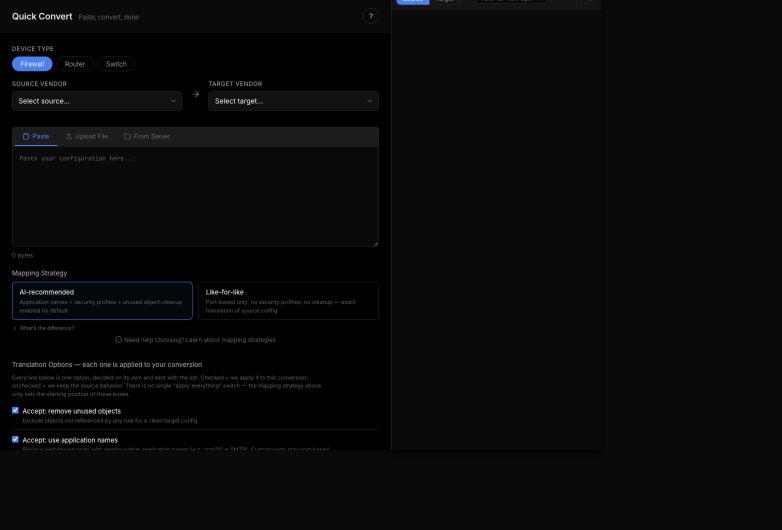
Quick Convert starts the migration. Jobs brings the result, warnings and reports together. AI Studio gives you a place to investigate what needs attention.

Current Quick Convert interface with device type, source and target selectors, and empty configuration input
Quick Convert · September 28, 2026. Real hosted application, captured before selecting or submitting a configuration. Cropped to the workspace; account navigation omitted. No customer configuration shown. This is the entry screen, not converted output.

From result to review

What changed? What still needs work?

Open a saved job to inspect its result, warnings and manual recreation steps. The evidence report separates the checks that ran from those that had nothing to verify.

Use the report and AI Studio together to investigate findings. Keep target-device validation and change approval in your engineering process.

See the current product update →
See the current AI Studio workspace
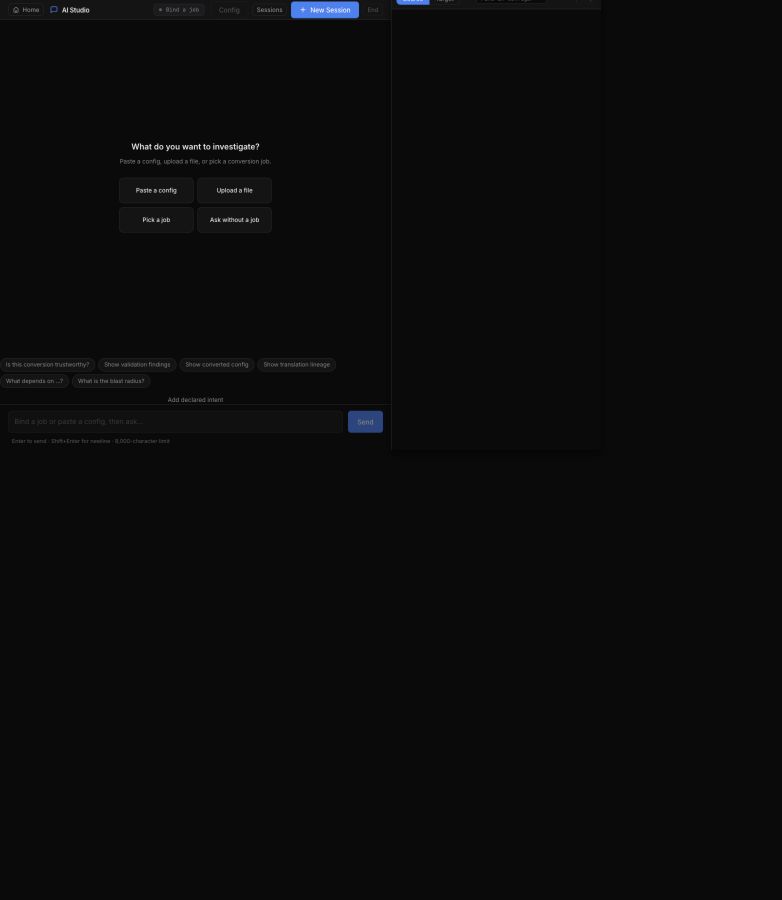
AI Studio entry screen offering configuration upload, saved-job selection and investigation prompts
AI Studio · September 28, 2026. Real hosted application with no active conversation or job selected. Cropped to omit account navigation; no customer data shown. An investigation starting point, not an example of a generated answer.

Inside the product / Local preview

Your network workspace.
On your network.

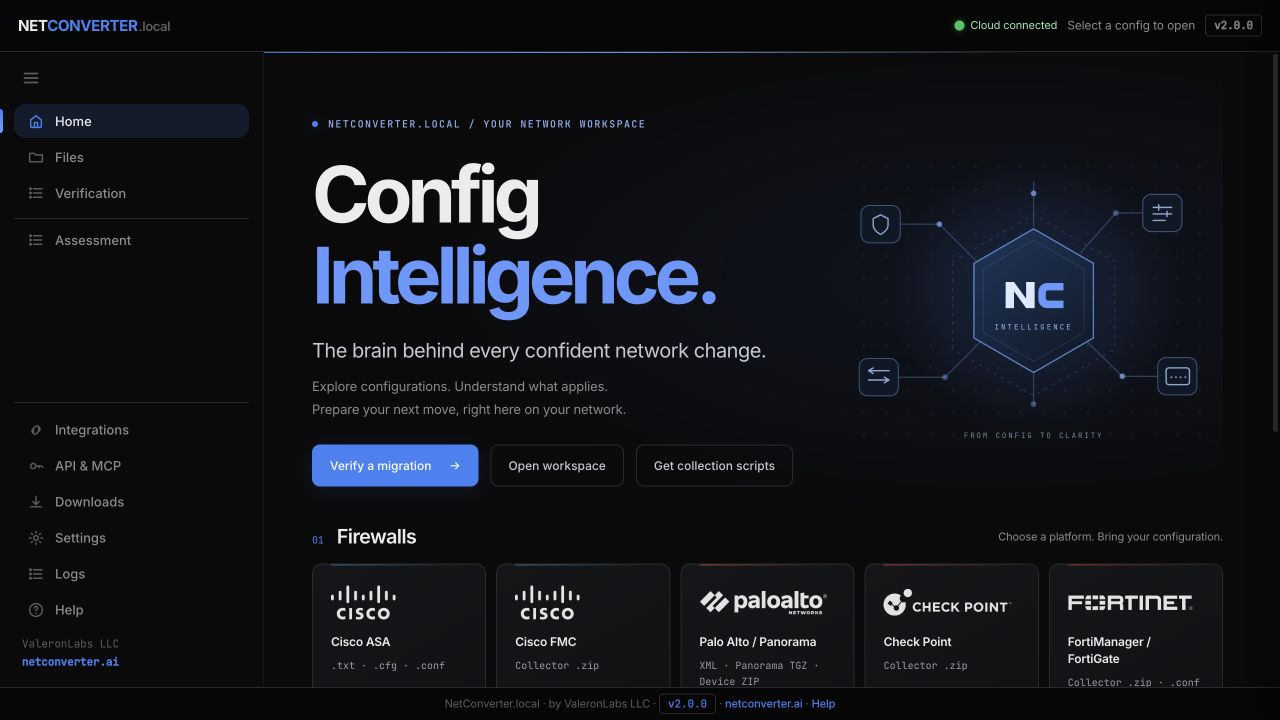
NetConverter Local brings collection, inspection and preparation into an on-site Docker workspace. Cloud migration is a separate, explicit submission.

Running NetConverter Local 2.0.0 home screen with firewall configuration entry points and workspace navigation
Real application capture · September 28, 2026 · Local 2.0.0. Home screen with no configuration selected. No customer data shown; nothing masked. This preview is not a general-availability announcement. Explore Local and what’s coming →

A result you can inspect

Eight differences.
Still in review.

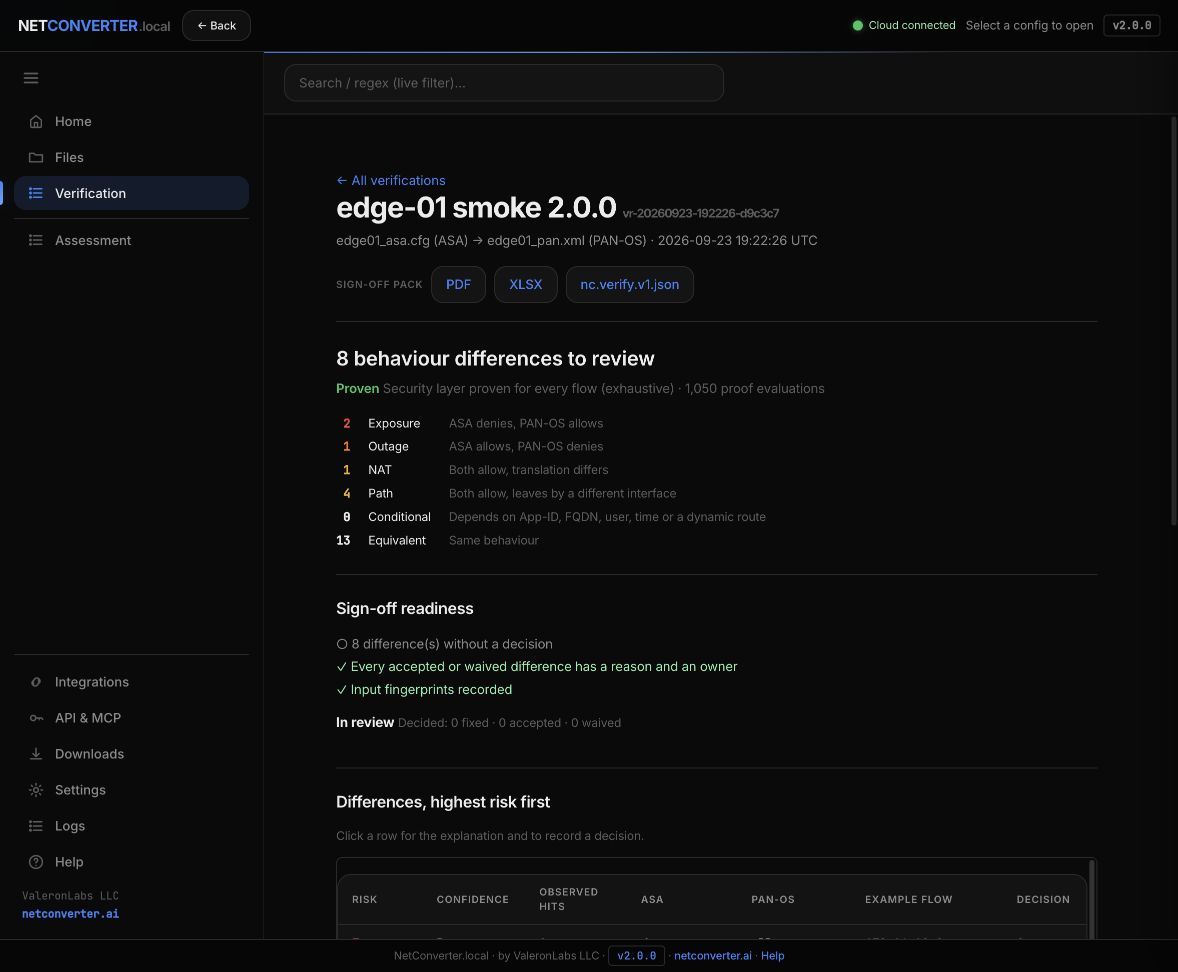
This ASA → PAN-OS example shows why a generated configuration is only part of the job. The Local verifier identifies exposure, outage, NAT and path differences, then leaves the decisions open for an engineer.

Local verification result showing two exposure, one outage, one NAT and four path differences, with eight decisions open and status In review
Real application, synthetic inputs. Local 2.0.0, captured September 28, 2026; saved run from September 23, 2026. The hand-built test pair contains intentional mistakes. No customer data; nothing masked. “Proven” describes the modeled security check, not a live traffic test or cutover approval. Read this result →

Checks, explained

What the evidence tells you.
Where your review begins.

POLICY

Allowed or denied?

Compare modeled access decisions between source and target. Review coverage and any constructs the model cannot resolve.

ADDRESS TRANSLATION

Does NAT change the flow?

Check modeled address translation behavior. Device import and traffic testing still matter.

RULE ORDER

Is a rule hidden by another?

Identify modeled shadowing that can make a policy behave differently from its appearance.

ZONES

Are zone references sound?

Find broken or missing zone relationships that need attention before deployment. An explanation does not clear a blocking finding.

A passed check is scoped evidence.

It is not certification of every vendor feature, a live dataplane test or approval to deploy. Unsupported features, missing captures and conditional behavior need explicit review. AI can explain findings and propose assistance; it cannot set the final pass/fail status or lift a blocked result.

Understand your validation results →

Choose a supported path

Platform names are
the beginning of the scope.

Source support, target output and on-site collection are different capabilities. Confirm the vendor pair, software version, features and handoff format for your project.

Explore migration paths →

Local: preview and next steps

See dated workspace captures, the current Windows preview status and the planned router and switch experience. Availability and verification vary by platform.

What’s available and what’s coming →

Product update / September 28, 2026

The product has moved forward.
Follow what changes.

New evidence workflows, migration improvements and a Local preview. Each update distinguishes what is available from what is still being tested.

Hosted platform

Better context for migration review

Saved jobs, detailed findings and AI Studio make the result easier to investigate. Recent switch and firewall updates improve how supported source behavior is preserved.

Preview and controlled access

Local and connected workflows

Local development continues. API access has a defined scope, and MCP remains a controlled pilot.

Read product updates →

Built around engineering review

Bring your scope.
We’ll start with the constraints.

Tell us the source, target and features that matter. We’ll help establish what can be translated, what needs more evidence and what stays in the engineer’s hands.

Discuss your migration →Meet the builder →